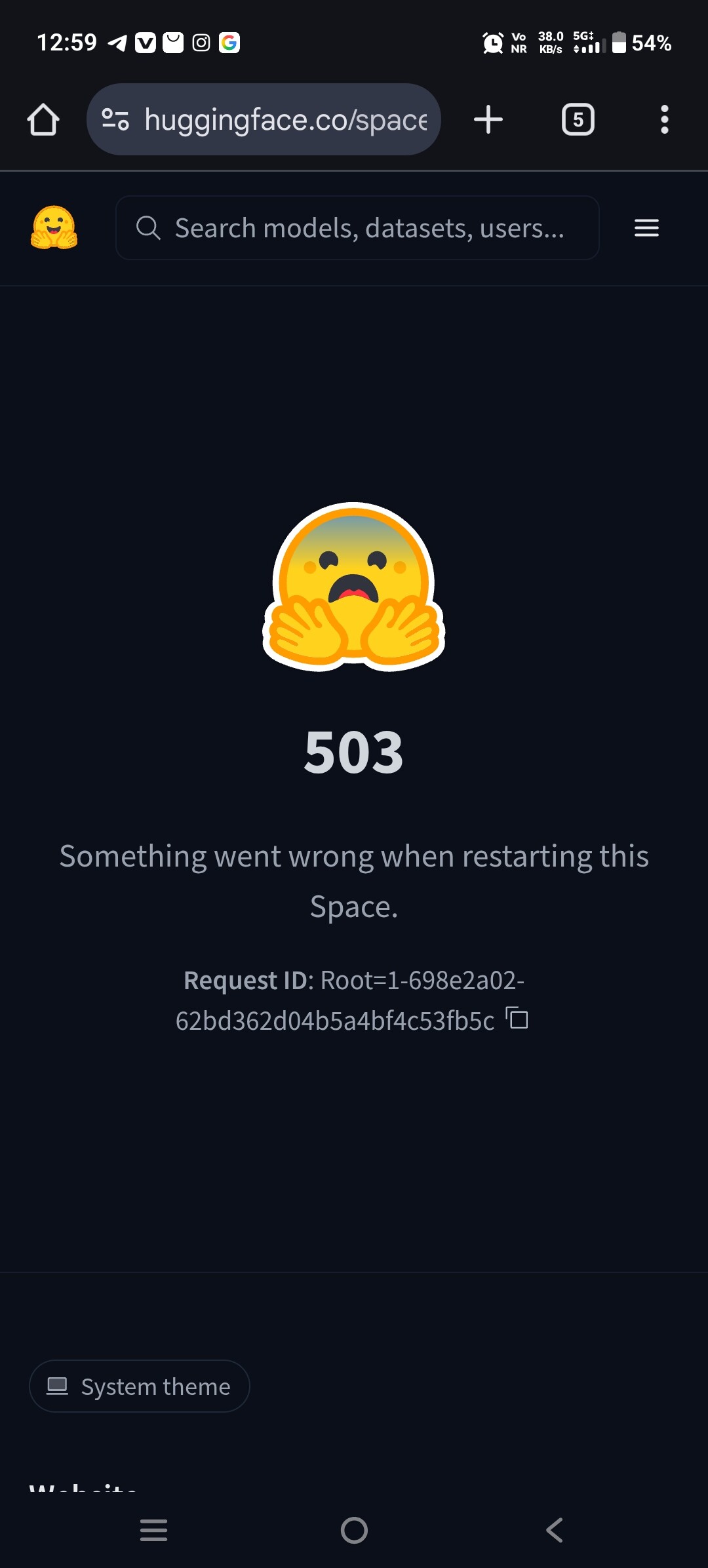
Based on that screen alone, it’s nearly impossible to guess the error’s content or cause, so let’s check the container logs.
What “Restart fail (503)” means on Hugging Face Spaces
That dialog is a generic front-end wrapper that usually means Hugging Face could not successfully complete one of these phases:
- Build fails (deps / image build)
- Container starts then crashes (exception, missing env var, bad config)
- Container runs but never becomes “healthy” (often Docker port/host binding, or startup too slow) (Hugging Face Forums)
If you see a Root=… request id, that’s an internal correlation id for Hugging Face staff to find the backend error; it typically doesn’t explain the cause by itself. (Hugging Face Forums)
Also: Paused alone can be normal (auto-sleep), but Paused + restart → 503 is not normal sleep; it indicates the wake/start failed. (Hugging Face Forums)
Causes and fixes/workarounds (organized by what you see)
A) Build phase fails (Build logs show errors)
Symptoms
- Build tab shows pip/apt/Docker build errors.
Fixes
- Use Open Logs and check Build vs Container tabs. (Hugging Face)
- Pin versions explicitly in
README.mdYAML when breakage comes from upstream changes (common when a Space “used to work”): the config reference documentspython_version,sdk_version, etc. (Hugging Face) - If you suspect cached layers are corrupt/stale: Settings → Factory Reset rebuilds with a clean cache. (Hugging Face Forums)
Common “it was working then broke” pattern
- The environment changes (dependency updates). Even duplicating a Space can fail because libs have moved. (Hugging Face Forums)
B) Container crashes immediately (Container logs show traceback / exit)
Symptoms
- Build succeeds; Container tab shows a crash loop, Python exception, missing file, etc.
Fixes
- Make logs more visible: set
PYTHONUNBUFFERED=1and ensure output flushes; recent community guidance explains how people get “missing” logs otherwise. (Hugging Face Forums) - Validate any config files included in your repo (a real case: an invalid
supervisord.confcaused immediate failure and restart 503). (Hugging Face Forums) - Check Secrets/Variables usage (common:
os.environ[...]KeyError at import time → instant crash). This is repeatedly implicated in “paused then 503” threads. (Hugging Face Forums)
Concrete pitfall example
- A Docker CMD used an en dash instead of
--host/--port; uvicorn exited immediately → restart showed 503. (Hugging Face Forums)
C) “Not healthy” (container runs, but HF can’t route to it)
Most common for Docker / web servers.
Symptoms
- Build succeeds; container doesn’t crash immediately, but Space never becomes available; restart may 503.
Root causes
- App binds to
127.0.0.1instead of0.0.0.0 - App listens on the wrong port (HF expects the exposed port; Docker Spaces commonly use 7860)
- App takes too long before binding the port
Fixes
- Confirm your server binds and serves on the expected interface/port. HF’s Docker “first demo” shows the expected “Uvicorn running on http://0.0.0.0:7860” style output and explicitly recommends debugging via Build/Container logs. (Hugging Face)
- If your app uses a non-default port, set
app_portin README YAML (documented in the config reference). (Hugging Face) - If startup is slow (model downloads, warming, migrations), increase
startup_duration_timeout. HF infra expects the service to bind within the default timeout (commonly 30 minutes), and staff explicitly describe this “healthy by” mechanism. (Hugging Face Forums)
D) Disk/resource exhaustion (often “worked before, then died”)
Symptoms
- Container logs show eviction / “storage limit exceeded” / OOM; or restarts become much slower and start failing.
Root cause
- Free-tier runtime has limited ephemeral disk; caches/models can blow it up over time.
Fixes/workarounds
- Move HF caches to persistent storage: HF docs recommend setting
HF_HOME=/data/.huggingfaceto avoid re-downloading and reduce restart pain. (Hugging Face) - A recent eviction thread explicitly recommends moving caches to
/datato avoid hitting the 50GB root cap. (Hugging Face Forums)
E) Platform-side stuck state / infra incidents (your code changes don’t help)
Symptoms
- Factory reset doesn’t help; logs don’t update; hardware UI spins; restart always 503; sometimes even a brand-new empty Space hits 503.
Evidence from similar reports
- “Docker build pauses and 503 on restart” threads describe issues that were effectively infra/scheduling; common workaround: recreate/duplicate the Space (new slug) or force rescheduling. (Hugging Face Forums)
- “503 on a brand new empty Space” was acknowledged as an infra issue by forum staff. (Hugging Face Forums)
- “Root=…” restart-failed posts recommend sharing the Root id + timestamps with HF for internal lookup. (Hugging Face Forums)
Workarounds
- Check the status page for active Spaces / Spaces Proxy incidents before burning time. (Hugging Face Status)
- Make a no-op commit (README edit) to force a rebuild attempt.
- Duplicate/recreate the Space (often the fastest workaround when a Space is “stuck”). (Hugging Face Forums)
- If you have a
Root=…id: post/submit it with timestamp + Space URL so HF can trace the backend failure. (Hugging Face Forums)
F) Policy enforcement / prohibited software
Some “503 for no reason” cases were tied to prohibited binaries/libraries (e.g., cryptomining). The forum explicitly points out “prohibited libraries” as the reason in at least one 503-on-Space thread. (Hugging Face Forums)
Hi, Thanks for reporting. You’ll need to update the version of next.js to latest or a fixed version per https://nextjs.org/blog/CVE-2025-66478. Let us know if you run into further issues - happy to help! About the Space in question, you can also write into website@huggingface.co for further questions.